The app

The Tarrow app for iPhone

If you opened a shared Tarrow link, you have already used the arrow: it runs in the browser and stays free. The app adds three things: a pulse and a sound when you face the place, places you keep, and use without any connection. This page explains them one at a time.

In beta · One purchase, no subscription · Android later

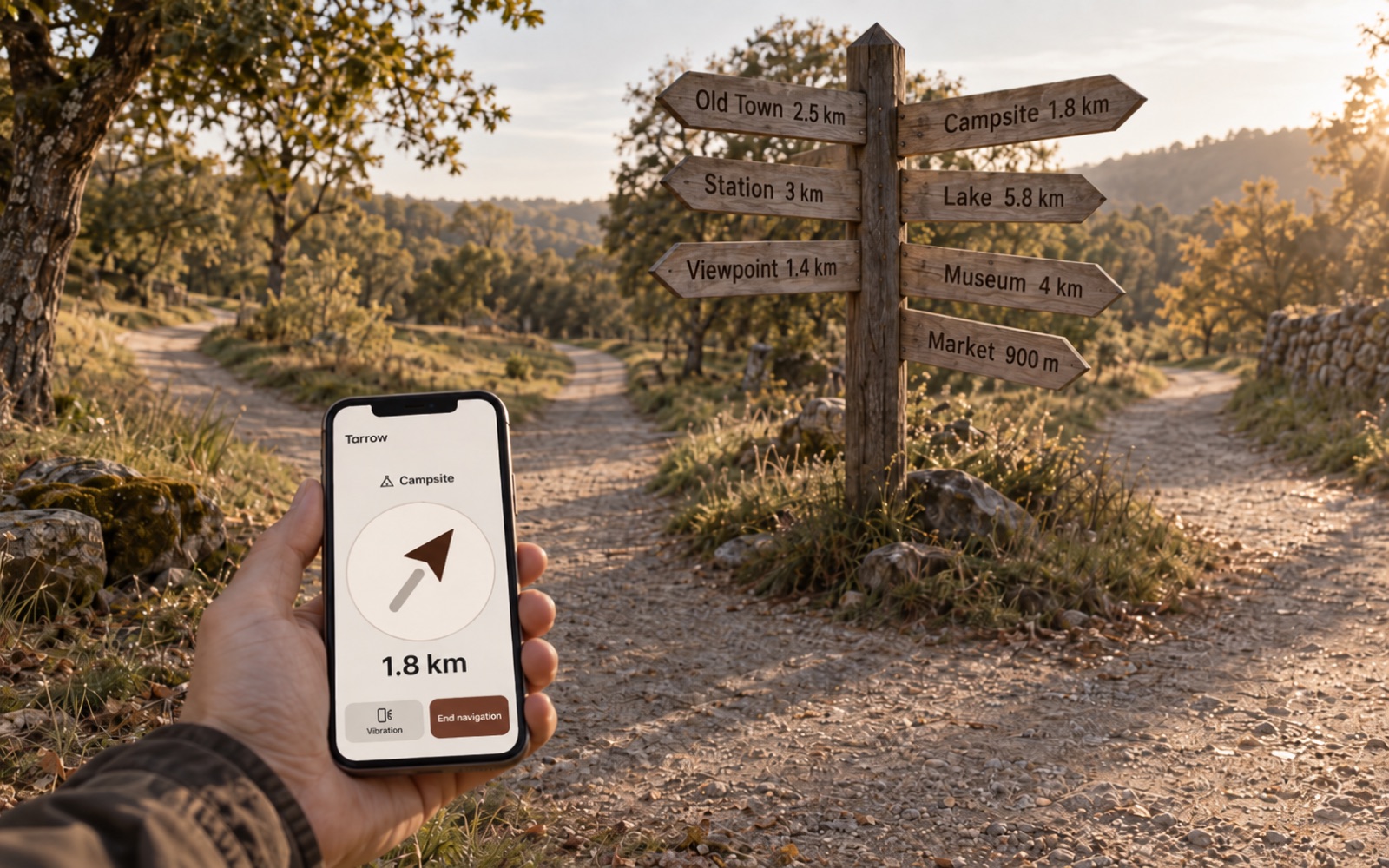
A wooden signpost at a fork in a country path carries seven boards with distances: Old Town, Campsite, Station, Lake, Viewpoint, Museum, Market. In the foreground a hand holds a phone flat; its screen shows one arrow pointing the same way as the Campsite board, and the distance 1.8 km.
All the directions in the world in your hand.

App only

Vibration: the phone tells you when you face the place

With vibration on, the app compares the arrow with the direction the phone is facing. Turn slowly:

  • while the place is off to the side, the phone stays quiet,
  • within about 20 degrees it starts to pulse,
  • within 8 degrees the pulses become fast and strong,
  • when you reach the place, it plays one longer pattern, different from the pulses.

You can set the strength to low, medium or high.

So you can keep the phone flat at hip height and your eyes on the path, the crowd or the trail instead of on the screen.

Sound does the same through earbuds: short ticks in the ear you should turn toward, slower once you face the place, three rising notes at arrival. While you run, the direction comes from the GPS track, so the phone can stay in an armband.

App only

Saved places

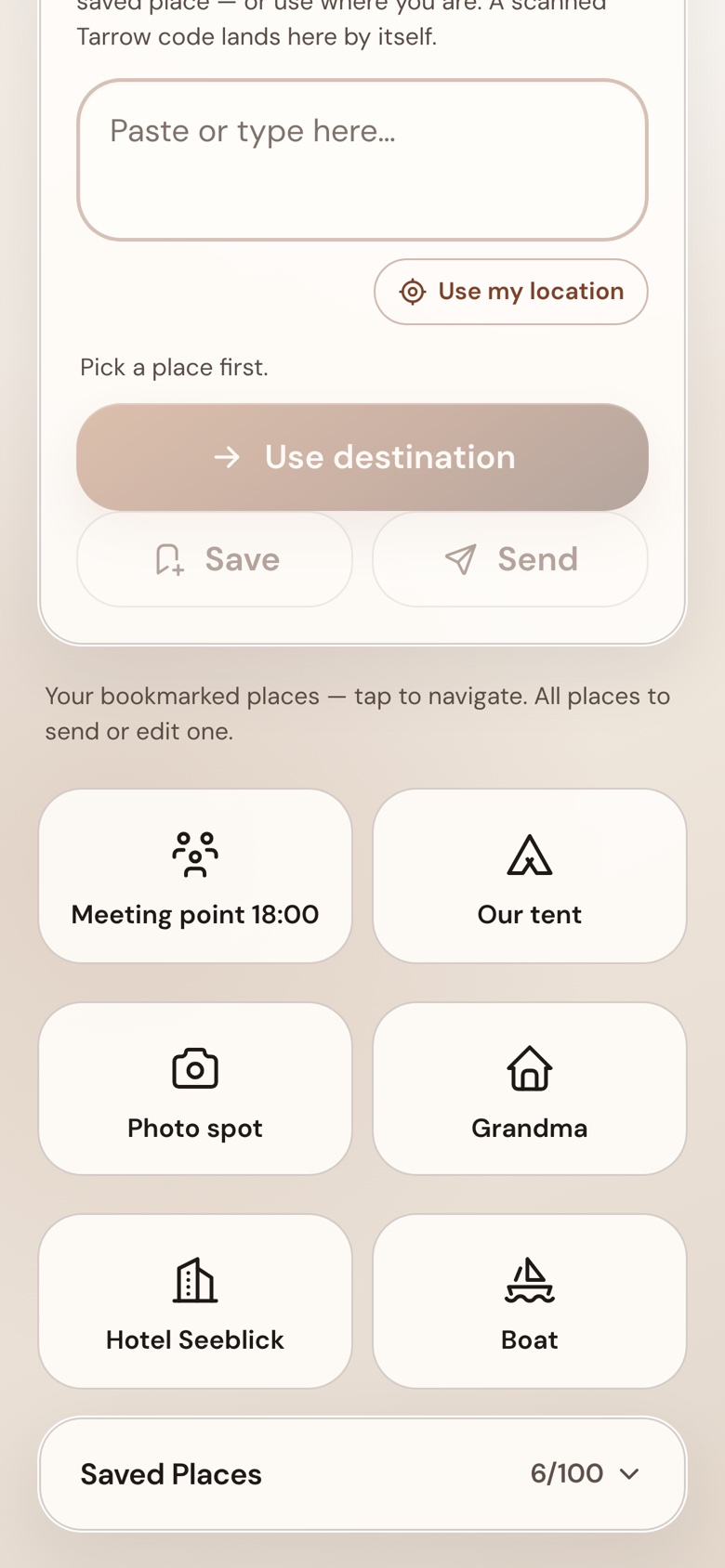
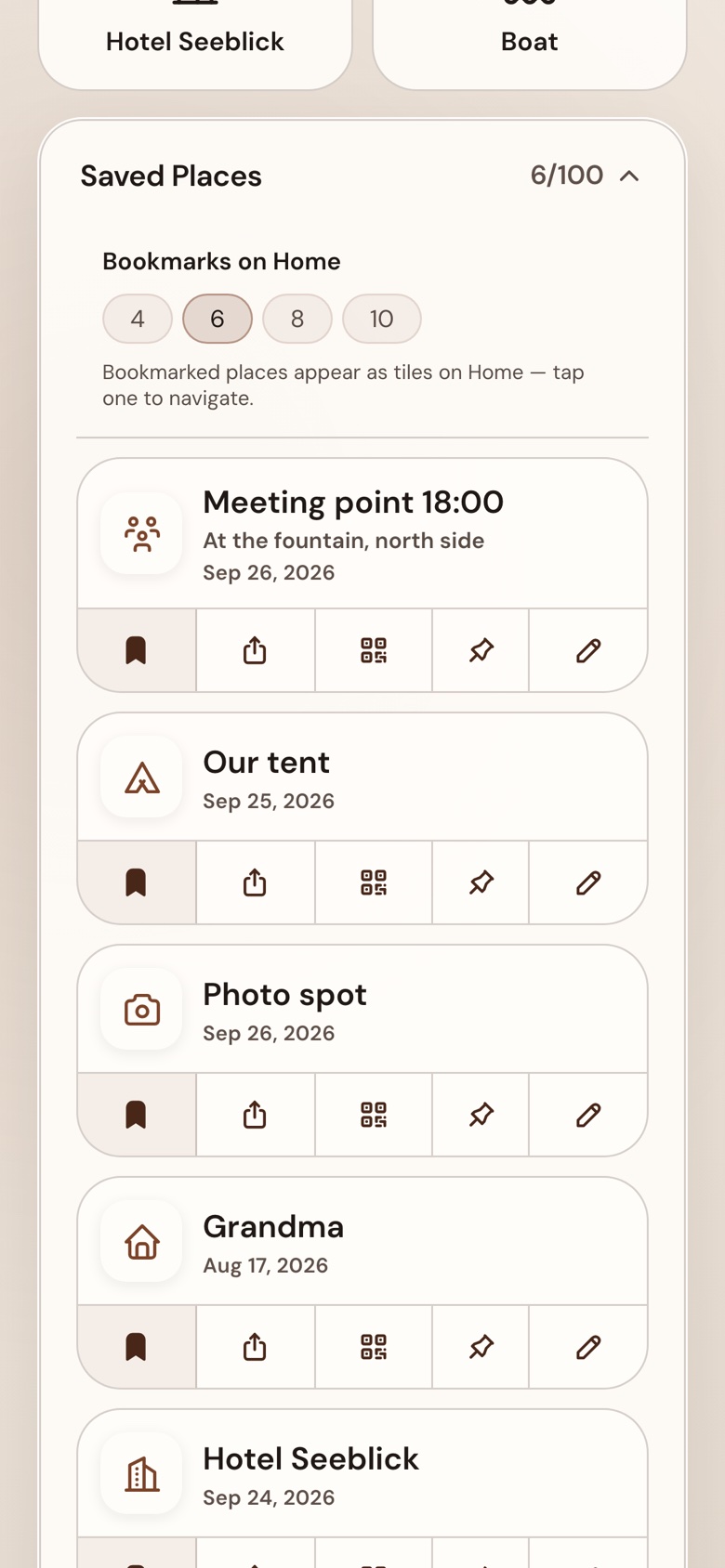
You can save a place with a name, an icon and a note of your own: the meeting point at the fountain, the tent by the willow, grandma’s front door. There is room for 100 saved places, notes included, and they are kept on the phone only.

All of them sit in one list under the tiles, each with buttons to navigate, send, show a code and bookmark. One tap on Navigate, and the arrow points to that place.

Saved places: each with a name, an icon, a note, and buttons to navigate, send, show a QR code and bookmark

App only

Bookmarked places: two taps, then the arrow points

Starting takes two taps.

  • Open the app.
  • Tap a bookmarked place.

The arrow points, the distance counts down. Nothing to type, nothing to search. Bookmark the places you come back to: the car, the tent, the meeting point. They sit on the Home screen as tiles, four to ten of them, you choose how many. The tiles are for today; the full list stays underneath.

1Open the app
2Tap the place
The arrow points

App only

Works without a connection

The app does not need the internet while you navigate. Direction and distance are calculated on the phone from GPS and compass, and both of those are receivers: they keep working in airplane mode. There is no map to download and no server to ask.

Tried: navigation on, airplane mode on, and the arrow pointed to the car until we reached it. That is what makes the app usable

  • at campsites and festivals,
  • on the water,
  • abroad without mobile data.
GPS and compass only receive, so airplane mode does not switch them off.

Free and in the app

Sending a place

Any place in the app can be

  • sent as a link,
  • shown as a QR code,
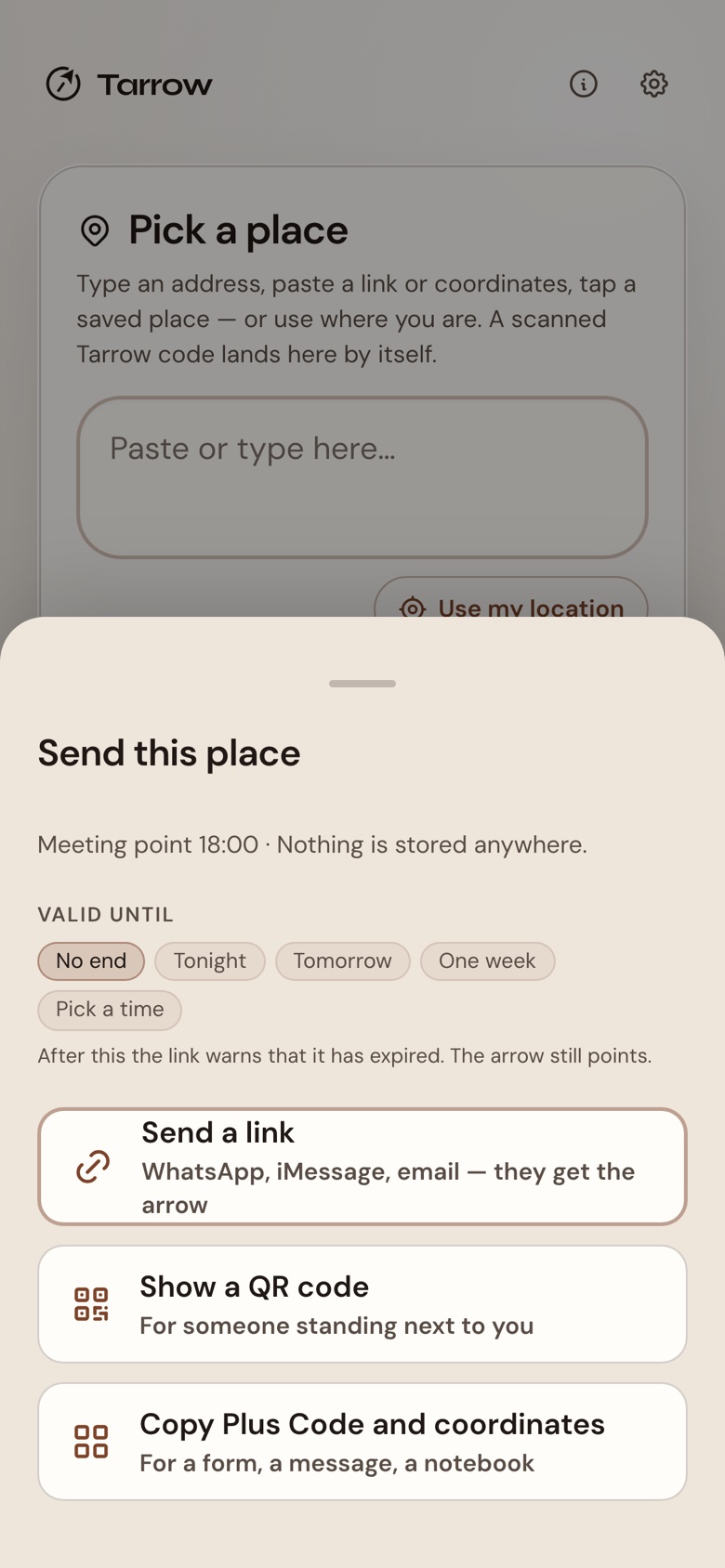
  • copied as a Plus Code with coordinates.

The other person needs nothing installed: the link opens the arrow page in their browser, the same one you may have arrived from. Creating links on the website is free as well.

The Send sheet: send a link, show a QR code, copy Plus Code and coordinates

Free and in the app

How the arrow works

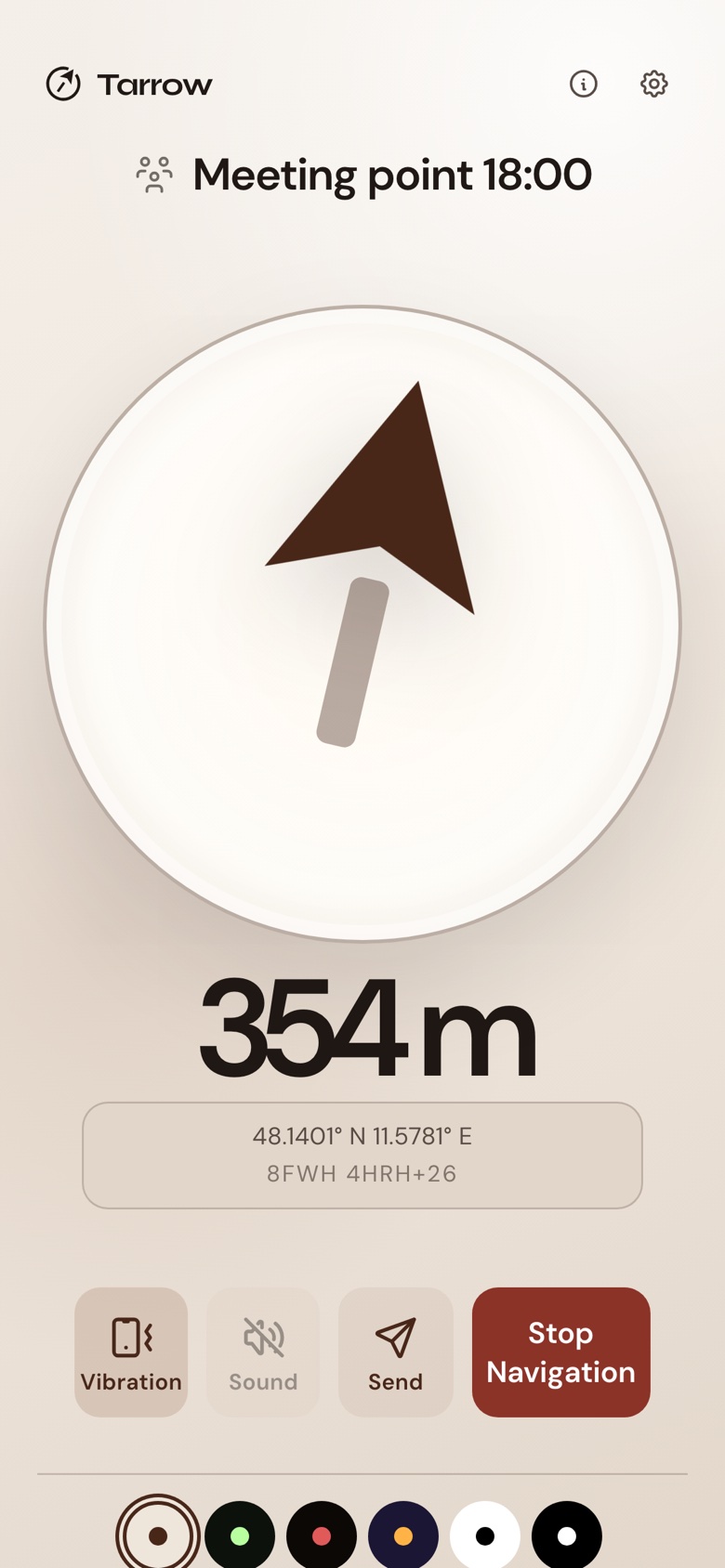
You hold the phone flat. The arrow points at the place, the number says how far it is in a straight line.

  • GPS gives the phone its own position.
  • The compass gives the direction it is facing.
  • From the two, the app draws the arrow.

Flat, because the compass reads the direction of the phone, not the direction of your eyes.

This part is the same in the app and on the web page.

The app navigating: a large arrow, 354 m, the place named Meeting point 18:00

App only

Language, text size and colours

  • 8 languages in the app: English, German, Spanish, French, Portuguese, Chinese, Japanese and Korean. The arrow page adds Italian and Dutch, ten in all.
  • Four text sizes, up to 200 %, set in the app so they do not depend on the phone settings.
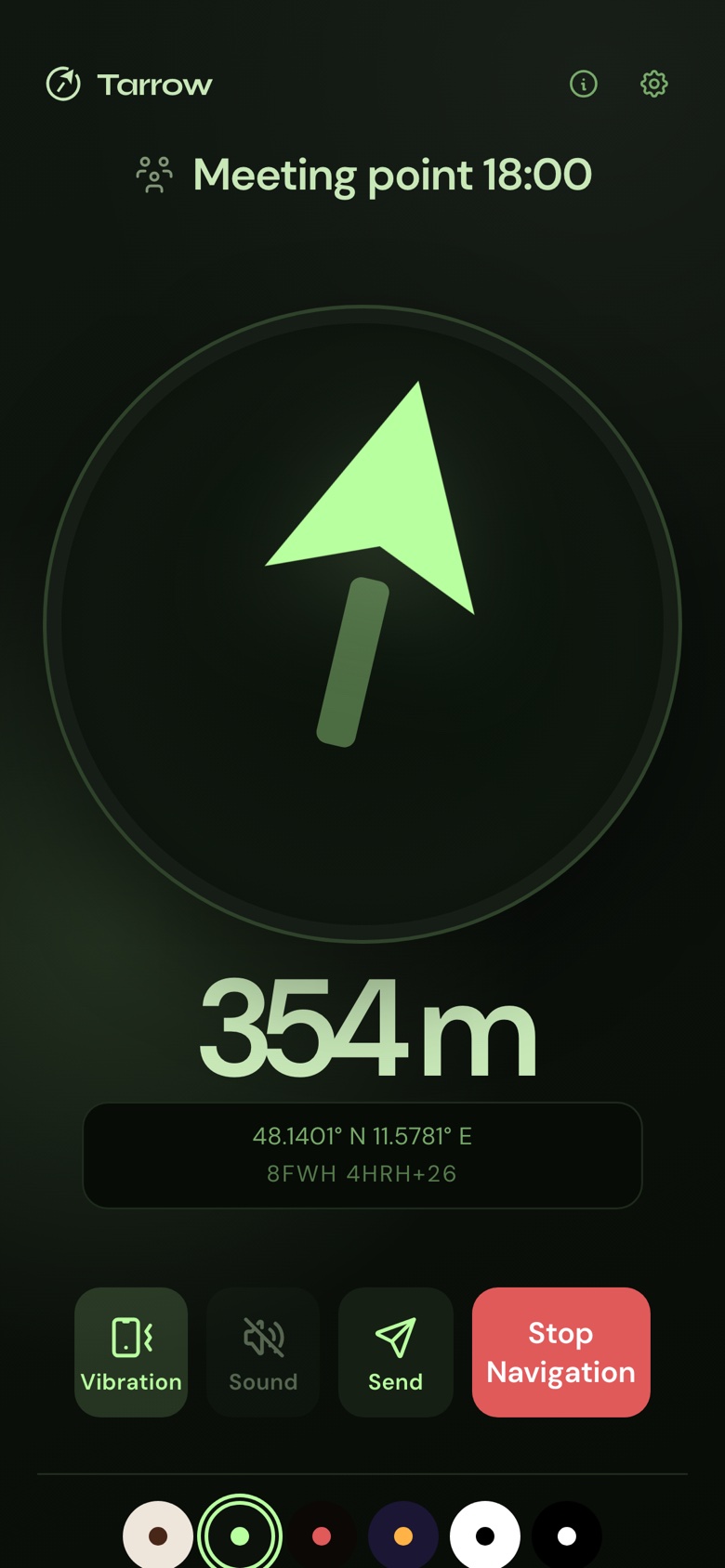
  • 7 colour sets (Cream, Lume, Rot, Signal, Hell, Dunkel, Radar): cream for daylight, green or red for the dark so the screen does not blind you, black on white for bright sun.
The same navigation in the Lume face: green arrow on near-black

Free and in the app

What it does not do

  • No account. There is nothing to sign up for, and nothing to log in to.
  • No tracking, no analytics, no ads. The app does not report anything to us.
  • Your location stays on the phone. The app has no server to send it to.
  • No subscription. You buy the app once, and it keeps working.
a mapturn-by-turna trackera safety device

Where to get it

iPhone first

The app is in beta. The App Store link will appear here when the listing is live. Android follows later. Until then, the free part is the arrow page in the browser, and creating a link needs no app and no account.